Jobber vs Kickserv
Feature-by-feature and cost side-by-side for your team size. Pricing as of October 2026.
Jobber vs Housecall ProAccuLynx vs JobNimbusAspire vs LMNFieldRoutes vs PestPacServiceTitan vs ServiceTrade
8 users
$42k

Jobber
Best for: Tighter books & small residential crews
Usability: not yet tested
VS

Kickserv
Best for: Simple jobs & estimates for small teams
Usability: not yet tested
software only; card fees not published; priced July 2026
$119 software + card processing not published
Run
Card-processing rates
| Channel | Rate | Status |
|---|---|---|
| In-person (tap / swipe / chip) | 2.7% + $0.30 | Published |
| Online invoice | 2.9% + $0.30 | Published |
| Amex / commercial / keyed | 2.9% + $0.30 | Not published separately — modeled at the online rate |
| Channel | Rate | Status |
|---|---|---|
| Card processing | Not published | No processing rate on the pricing page (checked 2026-10-05) |
Money
✓Included
Invoicing & estimates
Included✓
✓Included
Built-in card payments
Included✓
✓Connect+
QuickBooks sync
Included✓
Operations
✓Included
Scheduling & calendar
Included✓
✓Included
Dispatch board
Included✓
–not listed
Commercial & contract jobs
Add-on+
–not listed
Inventory tracking
Not available–
Field & growth
✓Included
Tech mobile app
Included✓
✓Connect+
GPS fleet tracking
Not available–
–not listed
Service agreements / plans
Not available–
✓Plus-included; add-on on other plans
Marketing automation
Add-on+
✓Included
Customer portal
Included✓
✓Included
Reporting & dashboards
Add-on+
Bottom line: Kickserv has no comparable all-in total (software only; card fees not published; priced July 2026). Card fees use a documented mix (55% in-person, 30% online, 15% Amex/keyed) on $42,000 card volume — adjust in the calculator for your shop.
Jobber vs Kickserv — key takeaways
- Jobber is best for tighter books & small residential crews; Kickserv is best for simple jobs & estimates for small teams.
- Usability: not yet tested for either platform.
- Jobber: $1,443/mo; Kickserv: software only; card fees not published; priced July 2026.
- Commercial & contract jobs — Jobber: not listed; Kickserv: add-on.
- QuickBooks sync — Jobber: Connect+; Kickserv: included.
- Commission: Jobber — We may earn a commission if you sign up through our link; Kickserv — We earn $0 from this vendor. Commission doesn't affect how either is described.
Pricing checked
How we tested
Done
- This comparison is based on published pricing and documentation. We have not done hands-on testing of either product.
Not done
- No product trial, demo, or in-app screenshots. We make no claims about ease of use, mobile UX, support, or implementation.
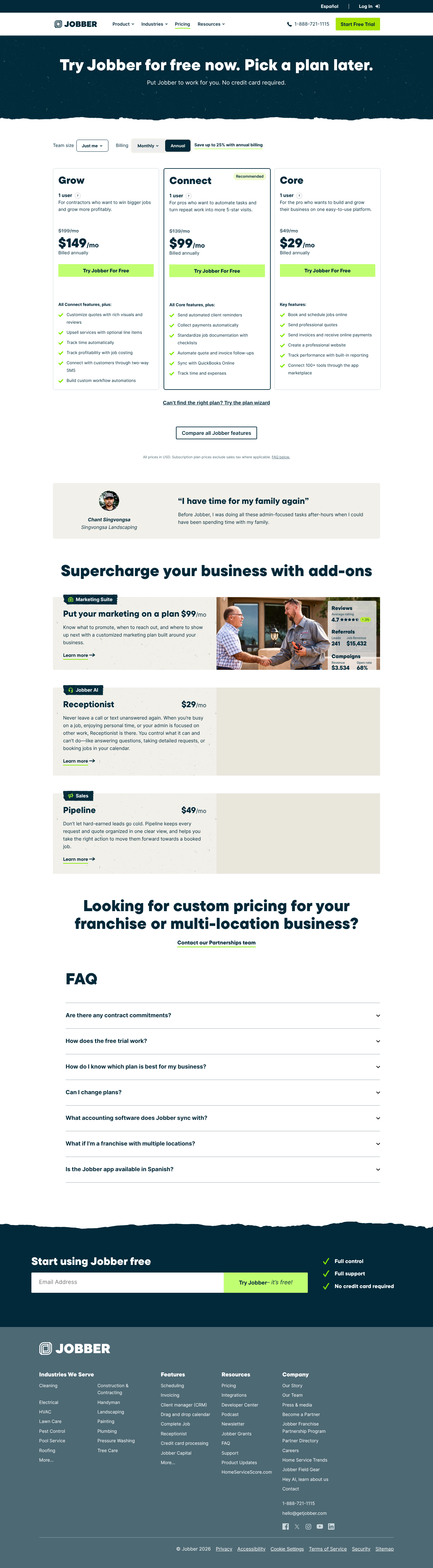
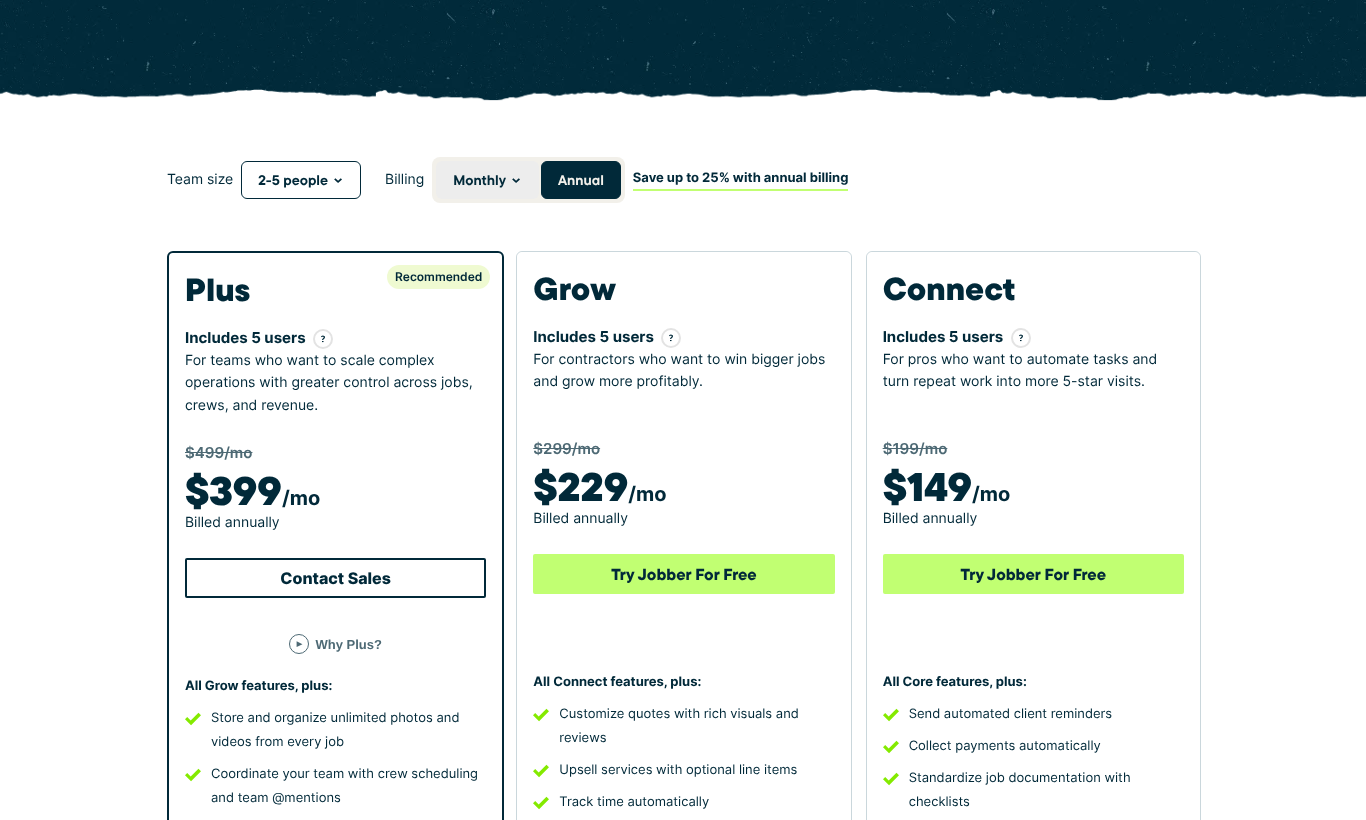
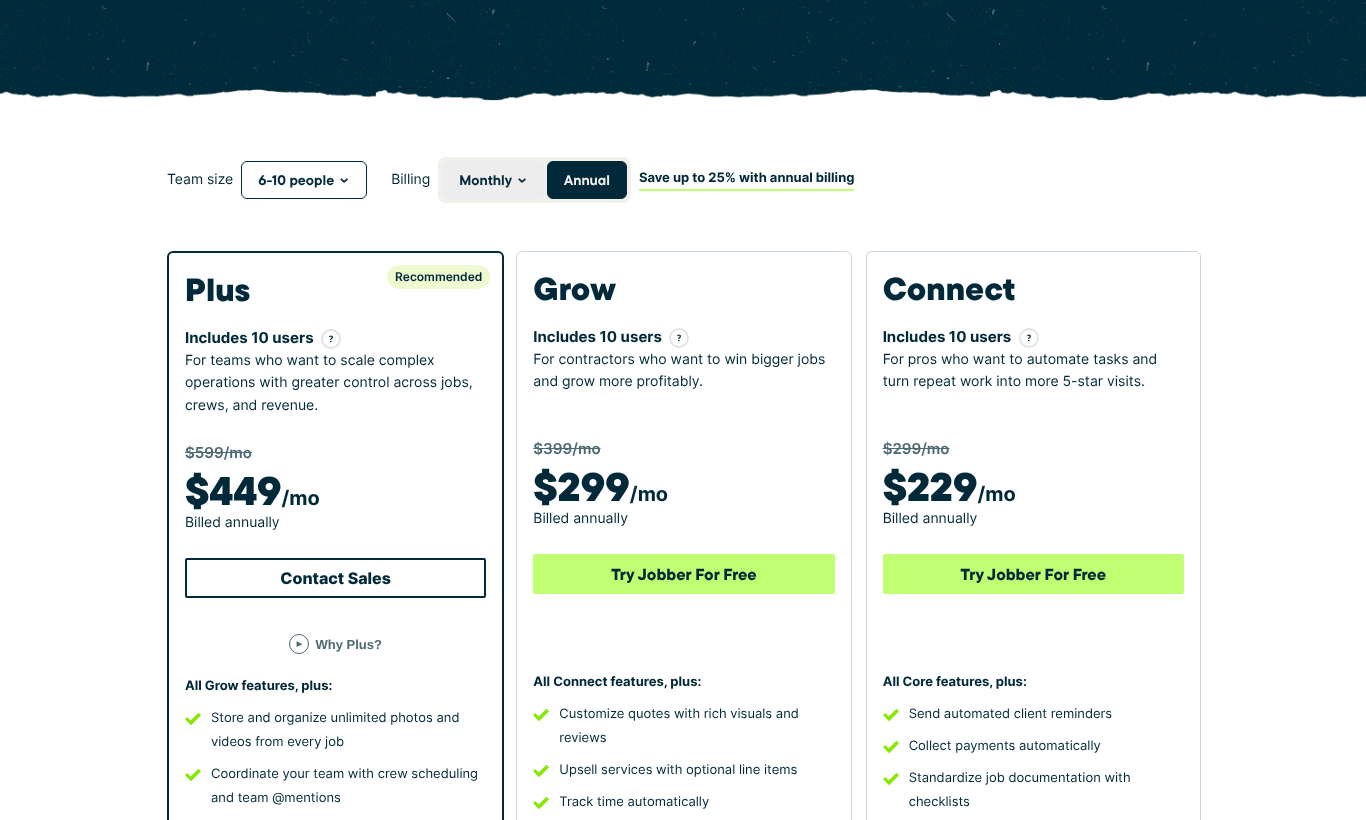
Pricing page captures
Jobber vs Kickserv — frequently asked questions
- What is the difference between Jobber and Kickserv?
- Jobber is best for tighter books & small residential crews, while Kickserv is best for simple jobs & estimates for small teams. Jobber targets residential shops; Kickserv targets residential shops.
- Which is cheaper, Jobber or Kickserv?
- Neither Jobber nor Kickserv publishes a comparable all-in total (Jobber: $1,443/mo; Kickserv: software only; card fees not published; priced July 2026).
- Is Jobber or Kickserv better for commercial work?
- Commercial & contract job support — Jobber: not listed; Kickserv: add-on. Choose the one marked "included" if commercial work is a dealbreaker for your shop.
- Do you earn a commission from Jobber or Kickserv?
- Jobber: We may earn a commission if you sign up through our link; Kickserv: We earn $0 from this vendor. Both are scored with the identical methodology regardless.