Service Fusion pricing (2026): unlimited users, what each plan includes, and how to check your quote
Pricing checked October 5, 2026
Disclosure: FieldServiceScout may earn a commission if you buy Service Fusion through our links. That doesn't change this page. Everything here comes from vendors' published pricing pages. How we rank · Affiliate disclosure
FieldServiceScout (fieldservicescout.com) is an independent site that compares field-service software. We have no connection to any product or company called "FieldScout."
- You have a large office staff or many users: Service Fusion (quote-only). Its FAQ says every plan includes unlimited users, and the price doesn't change with team size.
- You want a published price: Not Service Fusion. The pricing page says "Get Demo and Pricing" and shows no prices.
- You need job costing and inventory: Plus (quote-only). Both are added on Plus.
- You need progress billing, recurring invoicing, a customer portal, eSign or the open API: Pro (quote-only). All five are Pro-only.
- You use QuickBooks Desktop: Service Fusion. Its FAQ says it integrates with QuickBooks Online and Desktop.
- You want month-to-month terms: Service Fusion. Its FAQ says all plans are month-to-month, with a 15% discount on annual options.
- Ease of use, field app, support: No rating. Usability: not yet tested.
Who Service Fusion fits
| # | Your situation | Fit | Why (servicefusion.com/pricing, Oct 5, 2026) |
|---|---|---|---|
| 1 | Large office staff or many users | Service Fusion (quote-only) | FAQ: unlimited users on every plan; "your Service Fusion pricing will be the same" at any team size |
| 2 | You want a published price | Not Service Fusion | Visible page: "Get Demo and Pricing", with no prices shown |
| 3 | Job costing and inventory | Plus (quote-only) | Plus adds job costing, inventory management, job photo uploads, integrated voice & text |
| 4 | Progress billing, recurring invoicing, customer portal, eSign, open API | Pro (quote-only) | All listed on Pro only |
| 5 | QuickBooks Desktop | Service Fusion | FAQ: integrates with QuickBooks Online and Desktop |
| 6 | Month-to-month terms | Service Fusion | FAQ: all plans month-to-month; 15% discount on annual options |
| 7 | Ease of use, field app, support | No rating | Usability: not yet tested. |
What Service Fusion publishes (October 5, 2026)
Source: servicefusion.com/pricing, fetched October 5, 2026. The visible page shows three plans and a "Get Demo and Pricing" button. No prices are shown to visitors.
| Starter | Plus ("Most popular") | Pro | |
|---|---|---|---|
| Price | Not shown ("Get Demo and Pricing") | Not shown | Not shown |
| Users | Unlimited (FAQ) | Unlimited (FAQ) | Unlimited (FAQ) |
| Customer management, estimates & jobs, schedule & dispatching | ✓ | ✓ | ✓ |
| QuickBooks integration | ✓ | ✓ | ✓ |
| Invoicing & payment processing | ✓ | ✓ | ✓ |
| Project management & reporting | ✓ | ✓ | ✓ |
| Text messaging alerts, estimate options, company reviews | ✓ | ✓ | ✓ |
| Job photo uploads | — | ✓ | ✓ |
| Inventory management | — | ✓ | ✓ |
| Job costing | — | ✓ | ✓ |
| Integrated voice & text | — | ✓ | ✓ |
| Technician reviews | — | Up to 3 | Up to 5 |
| Open API integration | — | — | ✓ |
| Custom documents, eSign documents | — | — | ✓ |
| Customer web portal | — | — | ✓ |
| Progress billing & recurring invoicing | — | — | ✓ |
Add-ons (no prices shown):
- ServiceCall.ai: a dedicated business number, in-platform calling, call queues routed to technicians, sales scripts, and call tracking and transcription.
- GPS Fleet Tracking: real-time location, trips, idling and ETAs for customers.
From the pricing FAQ:
- Unlimited users on every plan.
- Month-to-month on all plans, with a 15% discount for annual options.
- A technician mobile app for receiving and managing jobs in the field.
- QuickBooks Online and Desktop integration.
- Payments through "FusionPay powered by PaySimple". Rates aren't published.
Service Fusion doesn't show prices to visitors. We don't publish prices that a vendor's page doesn't display.
Unlimited-user quote check: the per-seat prices your quote has to beat
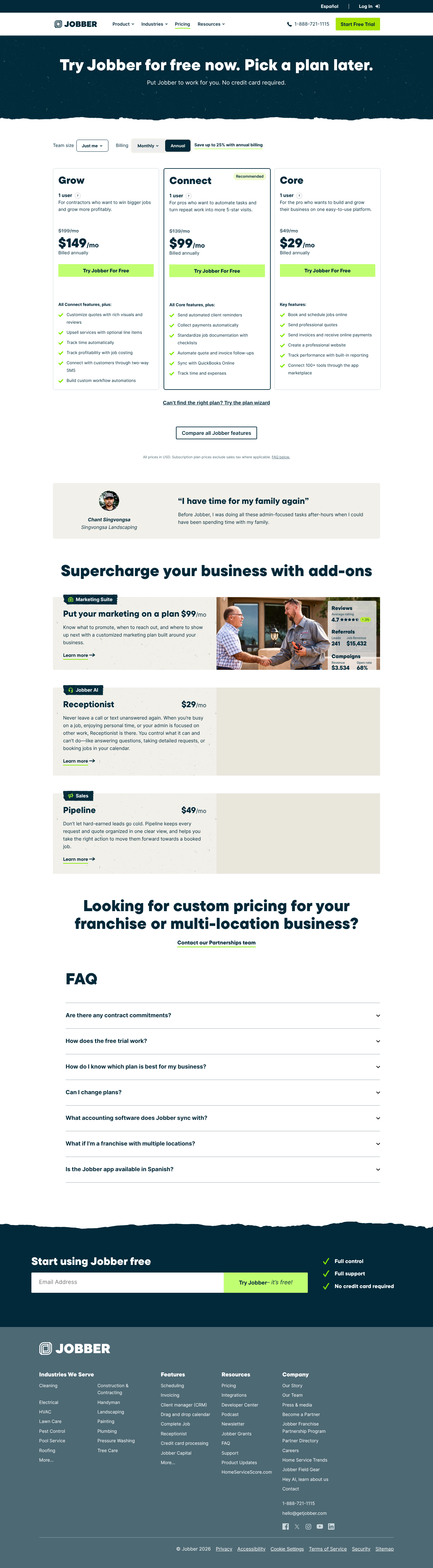
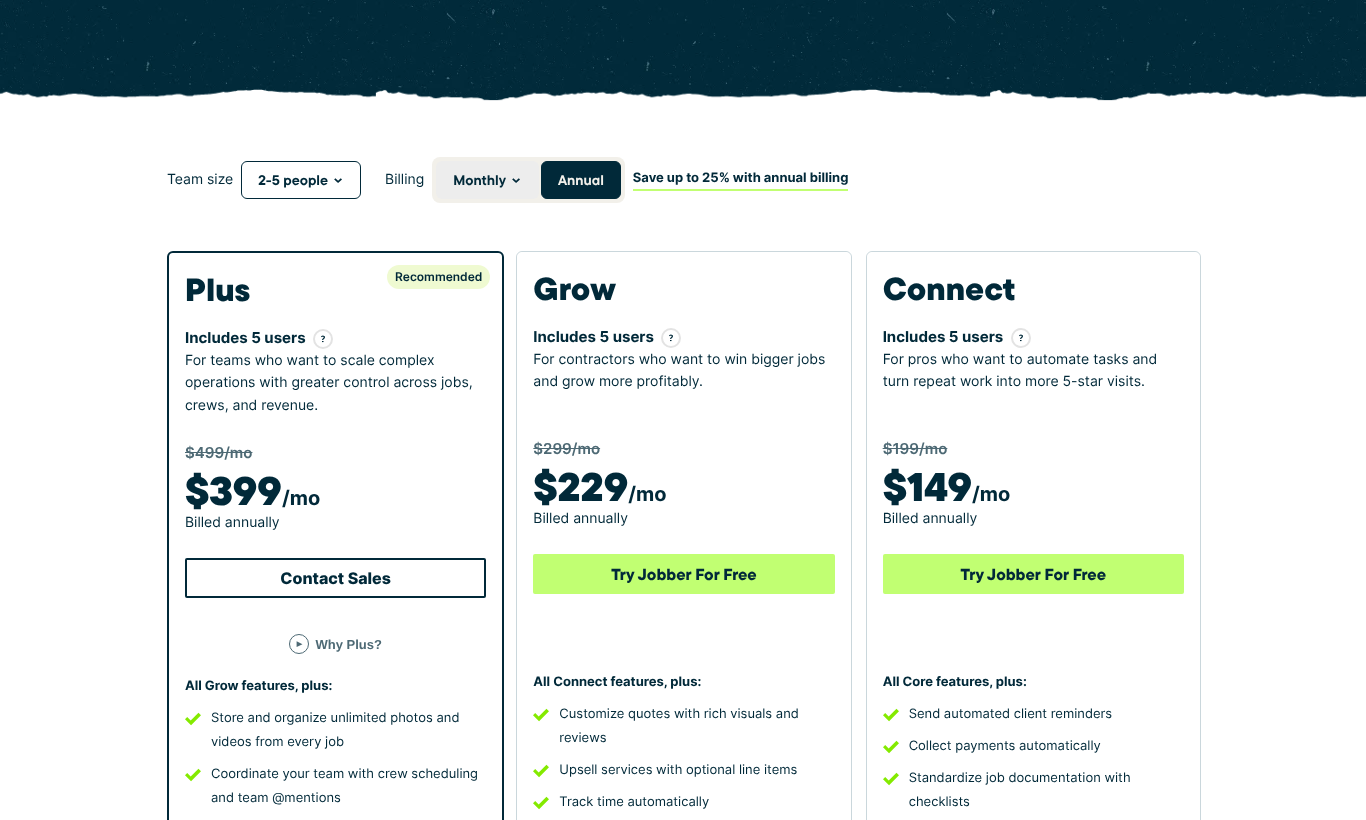
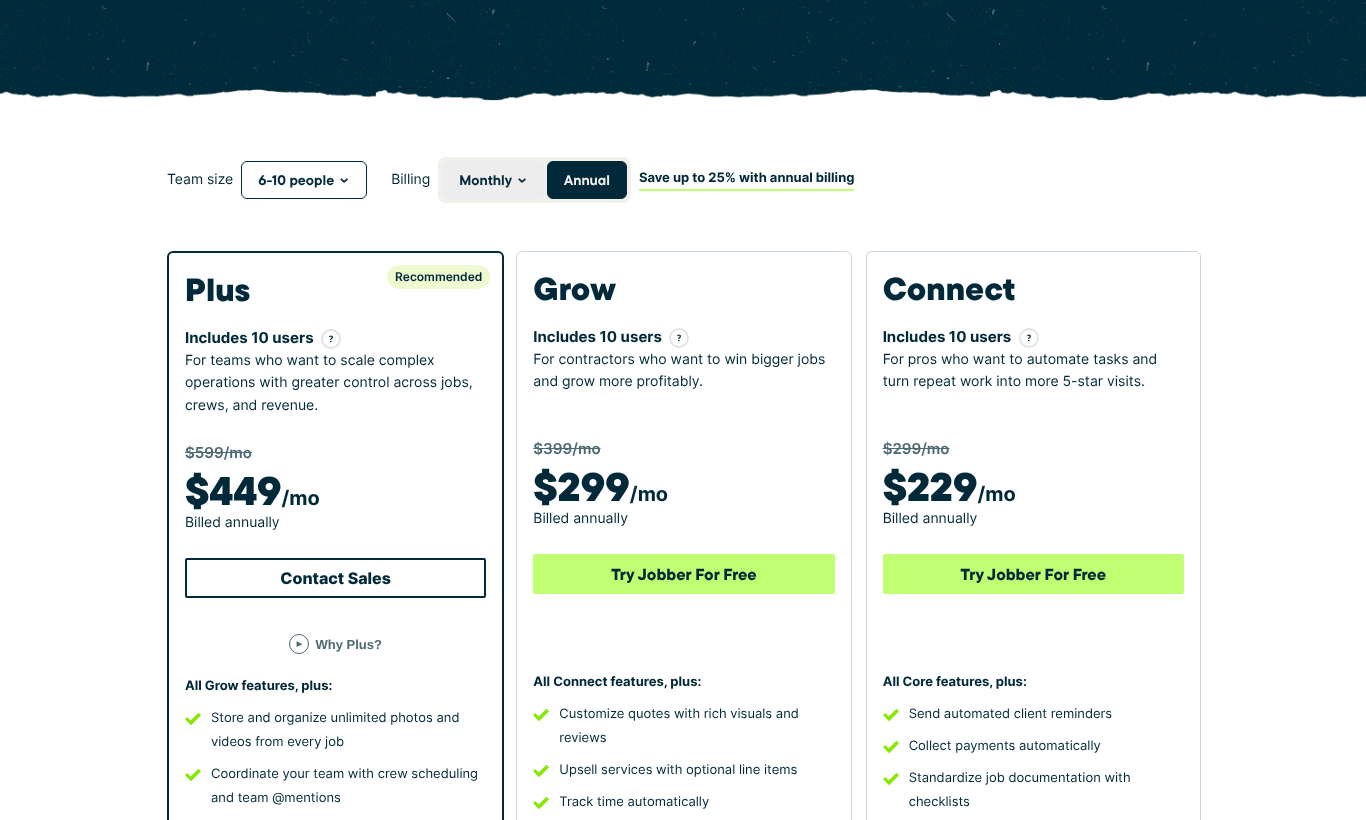
Service Fusion's selling point is that the price doesn't rise with headcount. Whether that's cheaper depends on your quote and your team size. The table shows what two per-seat vendors charge at each total headcount (office plus field, since Jobber counts every login as a user). Prices are published, billed annually, and checked October 5, 2026.
| Total users (office + field) | Jobber Connect | Jobber Grow (adds job costing) | Housecall Pro, cheapest published plan with QuickBooks Online | Housecall Pro MAX |
|---|---|---|---|---|
| 3 | $149 | $229 | Essentials $149 | $299 |
| 5 | $149 | $229 | Essentials $149 | $299 |
| 8 | $229 | $299 | MAX $299 | $299 |
| 10 | $229 | $299 | MAX $369 | $369 |
| 15 | $299 | $399 | MAX $544 | $544 |
| 20 | Contact sales (16+) | Contact sales (16+) | MAX $719 | $719 |
| 30 | Contact sales (16+) | Contact sales (16+) | MAX $1,069 | $1,069 |
How to use it:
- Count everyone who'd log in: technicians, dispatchers, office staff and owners.
- Match the plan level, not just the headcount:
- Plus has job costing. Compare it with Jobber Grow, or with Housecall Pro, where job costing is on every plan.
- Pro has progress billing, recurring invoicing and the open API. Compare it with Housecall Pro MAX (recurring service plans, open API). Jobber lists progress invoicing on every plan, with its API offering on Plus.
- Compare the monthly price. If Service Fusion's quote for that tier is below the number in your row, it's cheaper on software at your headcount. Ask for both the monthly and the annual price, since the FAQ mentions a 15% annual discount.
- Then add card fees. Housecall Pro and Jobber publish their rates. FusionPay (powered by PaySimple) doesn't, so ask for rates by payment method in writing.
Notes: Jobber prices are the tier its team-size selector shows (its plan cards also list extra users at $29/mo each). Housecall Pro doesn't publish an extra-user price for Essentials, so from 6 users the table uses MAX ($299 for 8 users, plus $35 per extra user). Model: analysis/service_fusion_quote_check.py.
Questions to ask on the Service Fusion demo
- What's the monthly and the annual price for Starter, Plus and Pro?
- Is anything charged per user, per technician or per device, despite unlimited users? For example: the mobile app, ServiceCall.ai or GPS tracking.
- What do ServiceCall.ai and GPS Fleet Tracking cost (per line, per vehicle, setup fees)?
- What are FusionPay's rates for card-present, keyed, online, Amex/commercial and ACH payments?
- What do the "up to 3" and "up to 5" technician reviews on Plus and Pro mean in practice?
- Is there an onboarding or data-migration fee?
Our analysis
- Unlimited users changes the math for office-heavy shops. Per-seat vendors charge for dispatchers and office staff too. Service Fusion's FAQ says your price is the same at any team size.
- The tier is what you pay for. Job costing needs Plus. Progress billing, recurring invoicing, the customer portal, eSign and the open API need Pro.
- QuickBooks Desktop support is a real differentiator. Service Fusion's FAQ names QuickBooks Desktop alongside Online. Jobber's pricing page names QuickBooks Online and Xero, and Housecall Pro's names QuickBooks Online.
- Get three unpublished numbers in writing: the plan price, the add-on prices and the processing rates.
How we tested
This review is based on Service Fusion's published pricing page and documentation. We haven't done hands-on testing of Service Fusion yet. We haven't used the product, taken a demo or received a quote, and we make no claims about ease of use, the mobile app, ServiceCall.ai or support. On October 5, 2026, we fetched and archived the pricing page and recorded the visible plan features and FAQ answers in pricing-sources.csv. We didn't use any prices that appear in the page's hidden code. The comparison table uses only Jobber's and Housecall Pro's published prices. Full method: /disclosure#what-tested-means.
Evidence
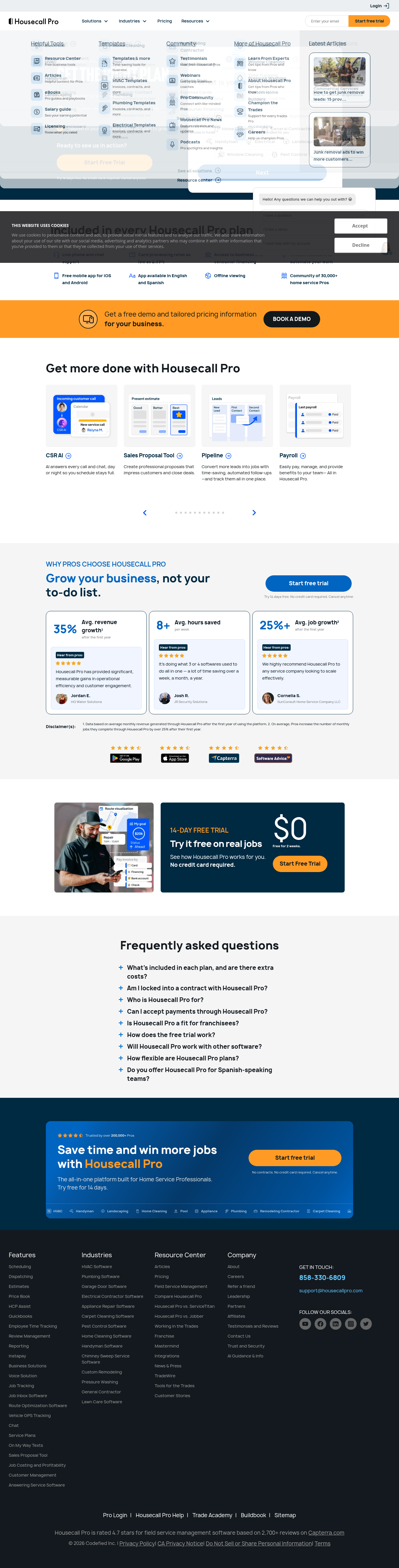
Dated captures of the vendors' pricing pages, October 5, 2026: servicefusion_com_pricing_2026-10-05.png (FAQ answers expand on click; text saved in servicefusion_faq_2026-10-05.txt), getjobber_com_pricing__2026-10-05.png, jobber_pricing_6-10people_annual_2026-10-05.png, housecallpro_com_pricing__2026-10-05.png (Housecall Pro prices read from the page source).
Pricing checked
- Service Fusion: Quote only, checked on October 5, 2026. Source — Get Demo and Pricing; no prices shown
- Jobber: published list prices, checked on October 5, 2026. Source
- Housecall Pro: published list prices, checked on October 5, 2026. Source — Additional-user price ($35/mo) is published on MAX only. Basic/Essentials extra seats are unpublished. Recurring Service Plans are MAX-only.
Pricing page captures

We may earn a commission if you sign up through our link.