Jobber vs AccuLynx
Feature-by-feature and cost side-by-side for your team size. Pricing as of October 2026.

Best for: Tighter books & small residential crews
Usability: not yet tested

Best for: Roofing CRM, production, and insurance restoration
Usability: not yet tested
| Channel | Rate | Status |
|---|---|---|
| In-person (tap / swipe / chip) | 2.7% + $0.30 | Published |
| Online invoice | 2.9% + $0.30 | Published |
| Amex / commercial / keyed | 2.9% + $0.30 | Not published separately — modeled at the online rate |
| Channel | Rate | Status |
|---|---|---|
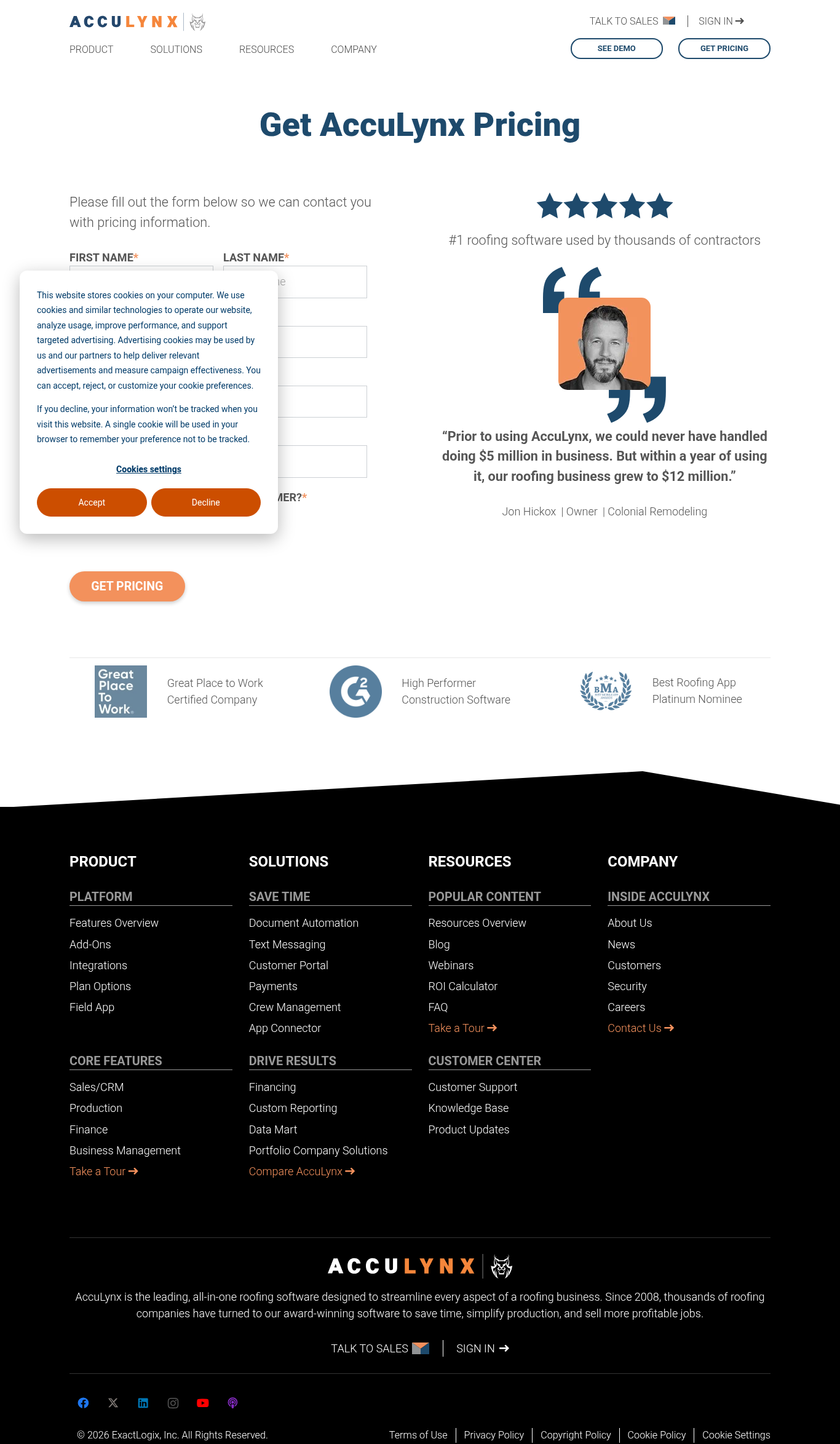
| Card processing | Not published | No processing rate on the pricing page (checked 2026-10-05) |
Jobber vs AccuLynx: how to choose
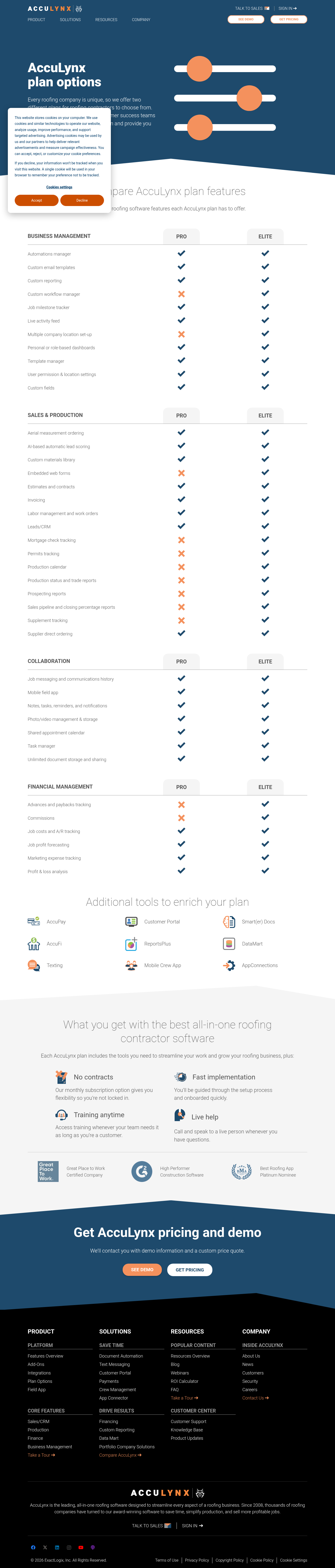
Jobber and AccuLynx get compared by small roofers choosing a generalist field-service tool versus a roofing CRM. Jobber publishes per-seat plans and lists scheduling, invoicing, QuickBooks, and a tech app; it does not list insurance restoration, production calendars, or aerial takeoffs. AccuLynx is quote-only and lists the lead-to-production workflow; the crew app and portal are add-ons. If you are a repair-and-replace shop that wants a published per-seat operations tool, Jobber lists that; if roofs, supplements, and production are the whole business, AccuLynx lists that quote-only.
- Jobber is best for tighter books & small residential crews; AccuLynx is best for roofing CRM, production, and insurance restoration.
- Usability: not yet tested for either platform.
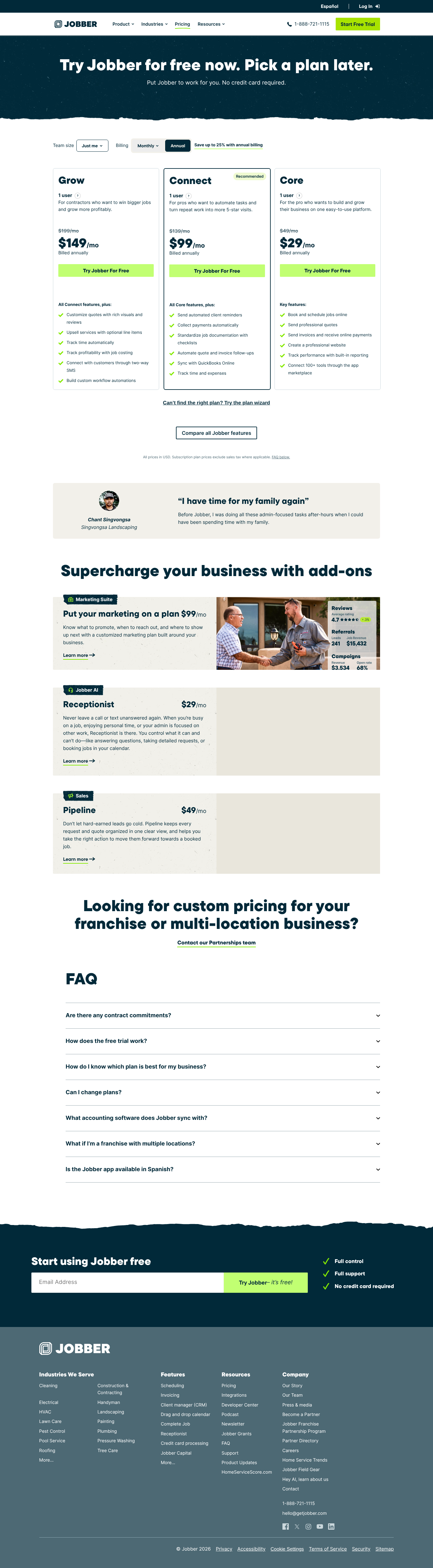
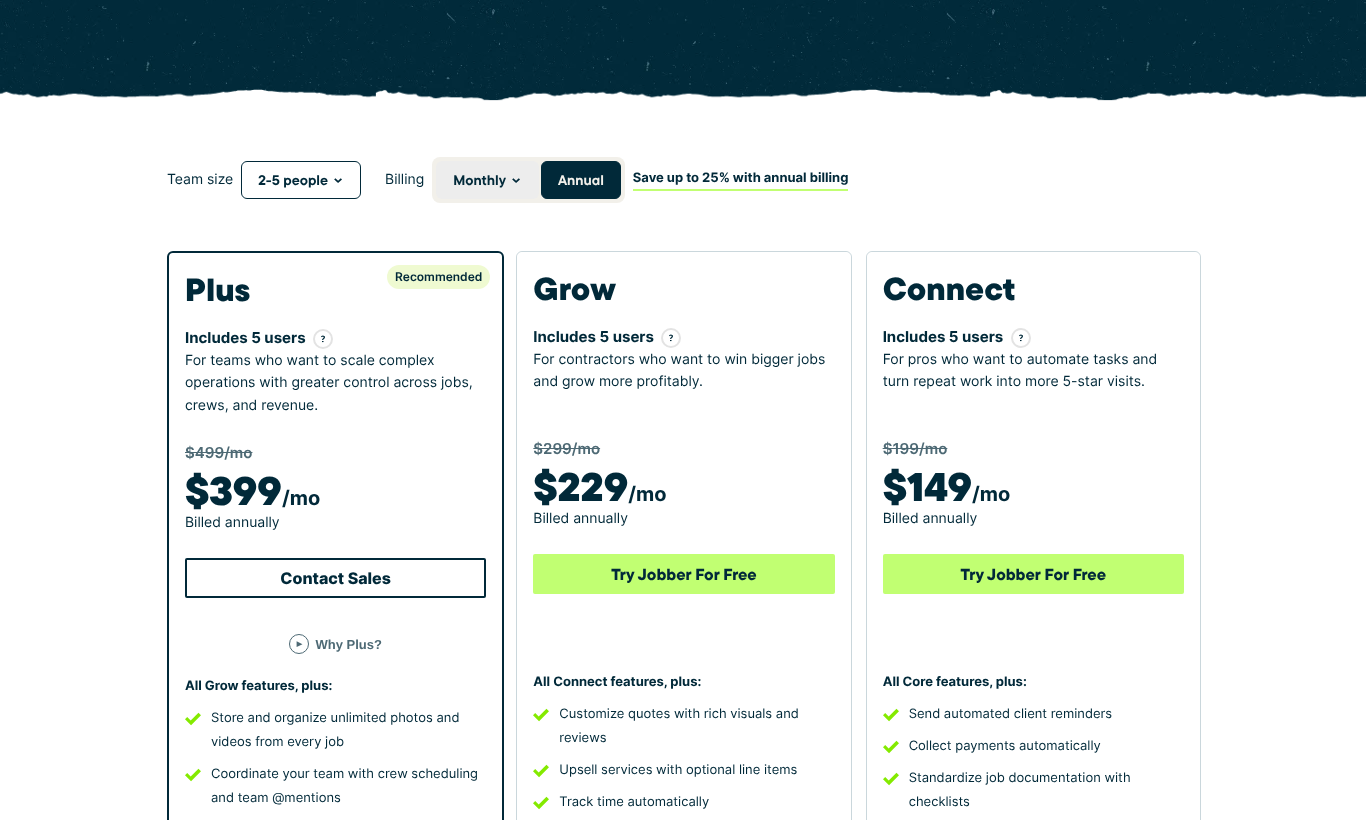
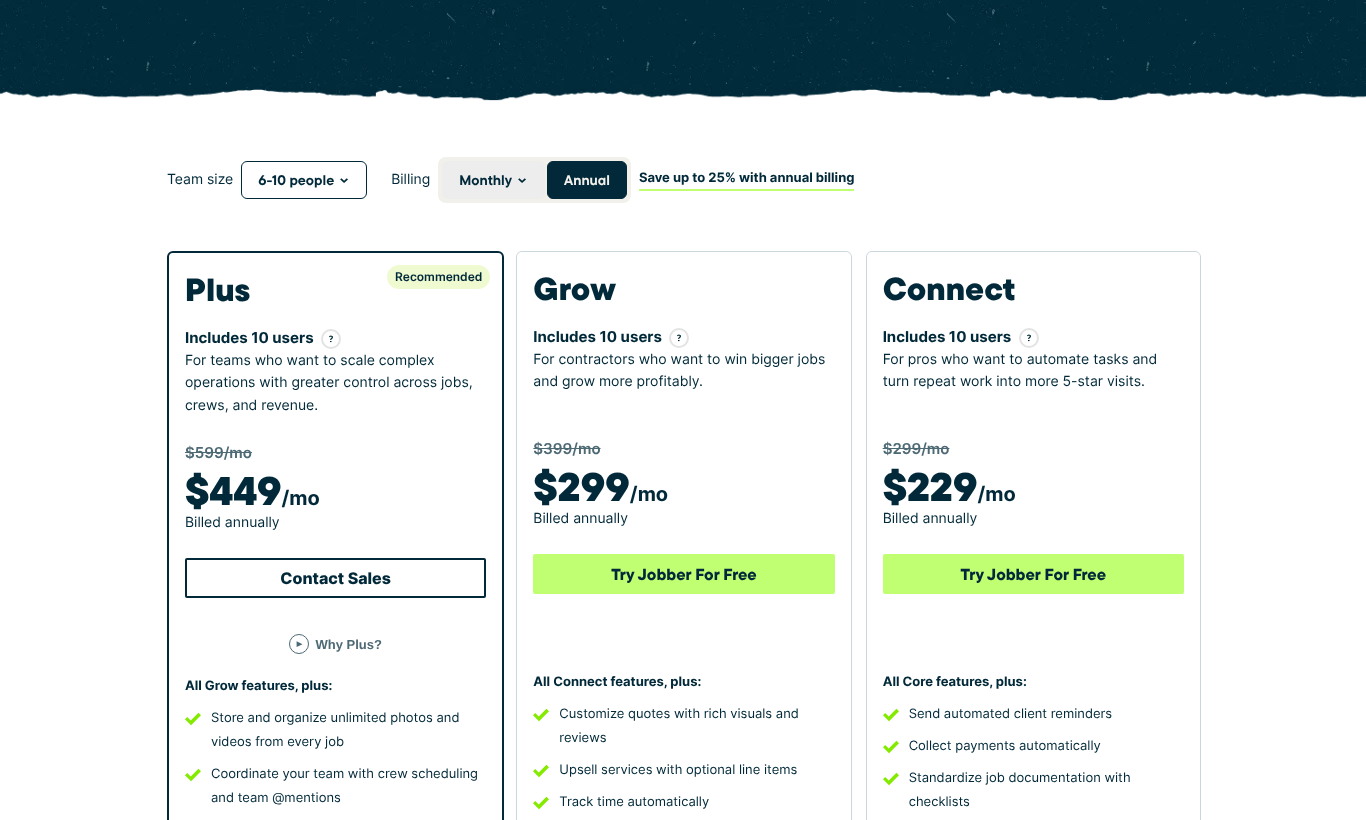
- Jobber: $1,443/mo; AccuLynx: Pricing is quote only as of October 2026.
- Commercial & contract jobs — Jobber: not listed; AccuLynx: add-on.
- QuickBooks sync — Jobber: Connect+; AccuLynx: included.
- Commission: Jobber — We may earn a commission if you sign up through our link; AccuLynx — We earn $0 from this vendor. Commission doesn't affect how either is described.
Pricing checked
How we tested
- This comparison is based on published pricing and documentation. We have not done hands-on testing of either product.
- No product trial, demo, or in-app screenshots. We make no claims about ease of use, mobile UX, support, or implementation.
Pricing page captures

Jobber vs AccuLynx — frequently asked questions
- What is the difference between Jobber and AccuLynx?
- Jobber is best for tighter books & small residential crews, while AccuLynx is best for roofing CRM, production, and insurance restoration. Jobber targets residential shops; AccuLynx targets residential shops.
- Which is cheaper, Jobber or AccuLynx?
- AccuLynx: Pricing is quote only as of October 2026; Jobber models at $1,443/mo.
- Is Jobber or AccuLynx better for commercial work?
- Commercial & contract job support — Jobber: not listed; AccuLynx: add-on. Choose the one marked "included" if commercial work is a dealbreaker for your shop.
- Do you earn a commission from Jobber or AccuLynx?
- Jobber: We may earn a commission if you sign up through our link; AccuLynx: We earn $0 from this vendor. Both are scored with the identical methodology regardless.